See it in action
Your whole business on one clear screen
Profit, planning, quotes and invoices — live and in one place, on your desk and in your pocket.
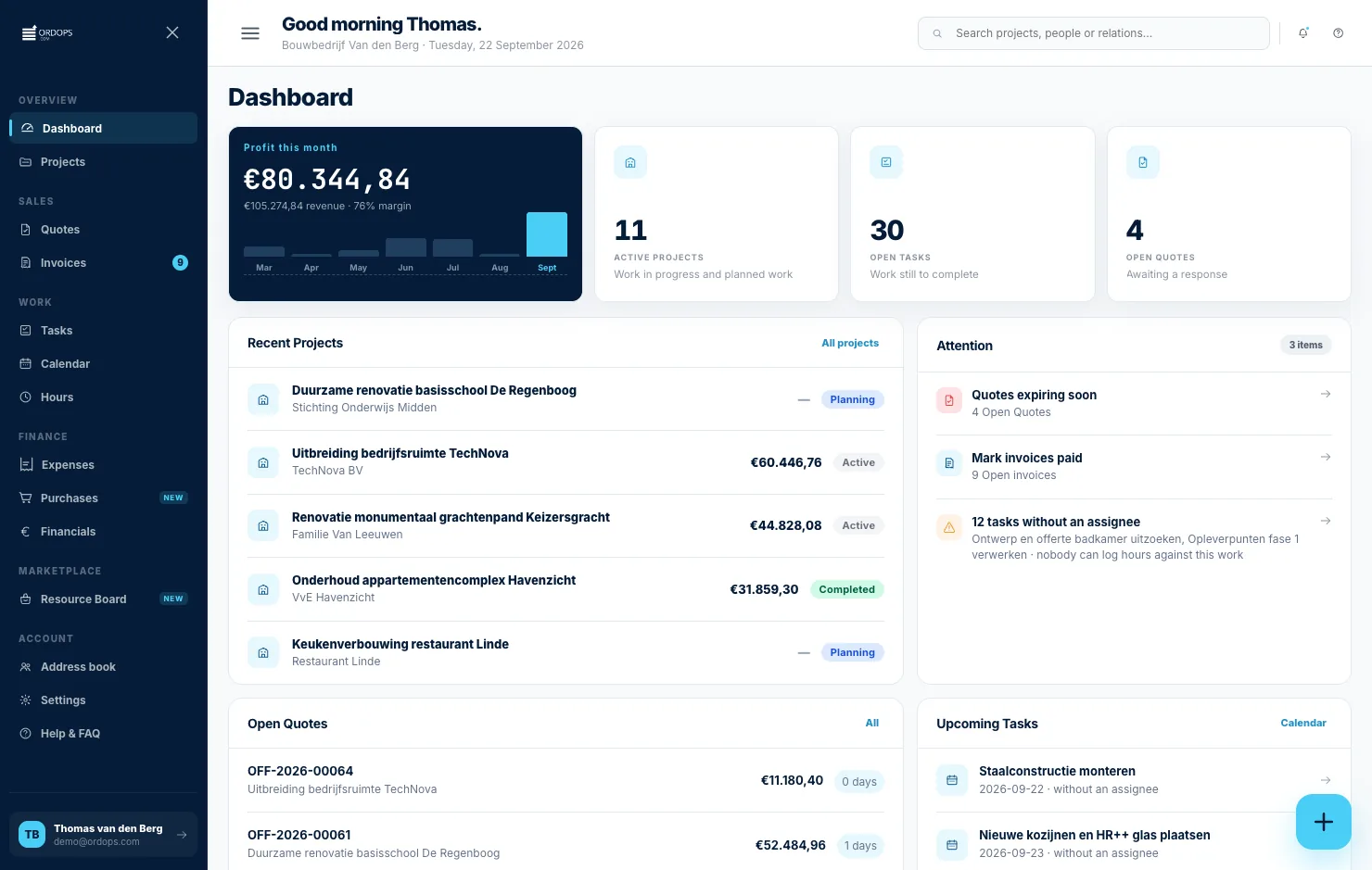
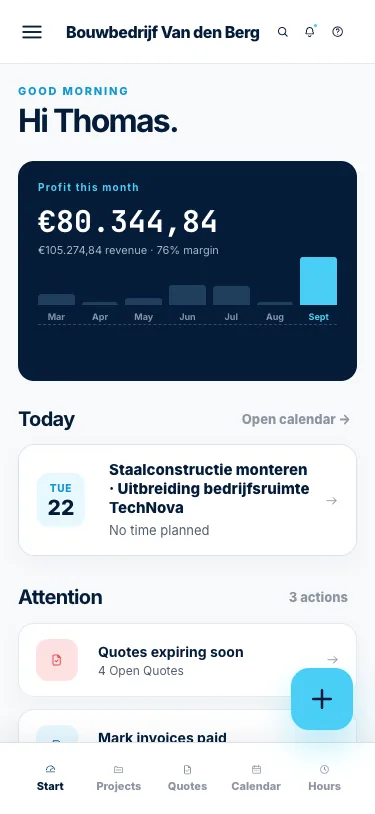
From AI-powered quotes to team scheduling and client communication — everything in one system. Built for painters and finishing companies.
Trusted by professionals
Calculate m² automatically, add paint types and preparation work, and send a professional quote from your phone.
Profit, planning, quotes and invoices — live and in one place, on your desk and in your pocket.
Distribute painting jobs across your team, schedule exterior work around weather and prevent double bookings. Painters and subcontractors get their schedule by email.
View all painting jobs in day, week or month view. Drag jobs to other days and keep overview.
Assign painters and subcontractors to projects. See instantly who's available and who's already booked.
Clients and painters receive their schedule by email — with address, colour specs and hours. No more WhatsApp chaos.
Exterior painting you plan around rain and drying times. The hourly forecast and rain radar, up to 14 days ahead — the rain risk right across the work slot. Move the job to a dry day with one tap.
Clients get their own link to view the schedule, approve quotes and colour choices, and follow updates. Fewer calls, more trust.
Manage paint prices per supplier, compare year-over-year and link material costs to painting projects. Always know your real margin.
No lengthy onboarding, no consultant. Ready before your coffee gets cold.
Register free in 2 minutes. No credit card needed — start with all features.
Enter your company name, create your first project and invite your team.
Create a quote with the AI assistant, send it by email and let your client sign digitally.
Start free. Upgrade anytime. Cancel without hassle.
See exactly what you get per plan — transparent, no small print.
| Free €0 · forever | Starter €19 / mo | Pro €39 / mo | |
|---|---|---|---|
| Account | |||
| Free signupNo credit card needed | ✓ | ✓ | ✓ |
| 30-day free trial | — | ✓ | ✓ |
| Mobile & desktopWorks in the browser, no install | ✓ | ✓ | ✓ |
| Unlimited projects | — | ✓ | ✓ |
| No contractCancel monthly | ✓ | ✓ | ✓ |
| Planning | |||
| Enter your availabilityVisible to contractors in your region | ✓ | ✓ | ✓ |
| Calendar day / week / month | ✓ | ✓ | ✓ |
| Share planning with customer | — | ✓ | ✓ |
| Team planningSchedule employees per job | — | — | ✓ |
| Team calendar overview | — | — | ✓ |
| Weather forecast & rain radarHourly at the job, up to 14 days ahead | — | ✓ | ✓ |
| Hours & registration | |||
| Track hoursRegister per project | ✓ | ✓ | ✓ |
| Export hoursPDF or CSV for your bookkeeper | ✓ | ✓ | ✓ |
| Team hours overview | — | — | ✓ |
| Quotes & invoices | |||
| Create quotesWith your own logo and brand | — | ✓ | ✓ |
| Automatic VAT calculation | — | ✓ | ✓ |
| Send quote directly by email | — | ✓ | ✓ |
| Quote to invoiceConvert with one click | — | ✓ | ✓ |
| AI assistant for quotes & invoicesSuggests quote lines based on your job description | — | — | ✓ |
| Finance overview | |||
| Profit & loss per project | — | ✓ | ✓ |
| Monthly overview | — | ✓ | ✓ |
| Year overviewExportable for your bookkeeper | — | ✓ | ✓ |
| Team finance overview | — | — | ✓ |
| Job marketplace | |||
| Create profileVisible to contractors in your region | ✓ | ✓ | ✓ |
| Get hiredContractors can book you directly | ✓ | ✓ | ✓ |
| Search jobsFind open jobs in your region | ✓ | ✓ | ✓ |
| Outsource jobsPost jobs for subcontractors | — | — | ✓ |
| Book team members | — | — | ✓ |
Can't find your question? .
The AI assistant automatically calculates m², paint quantities and labour hours based on your project description. Simply enter the room dimensions or facade measurements and the system estimates the total surface area, deducting windows and doors. It then selects the right primer and topcoat based on the substrate — wood, plaster, concrete or metal — and calculates how many litres you need per coat. Labour hours are estimated from the preparation work involved, such as sanding, filling and masking. The result is a complete, professional quote with itemised lines, VAT calculation and a digital signature field, ready to send to your client within minutes.
Yes, you can schedule multiple crews simultaneously across different projects. The planning module lets you assign your own painters, apprentices and subcontractors to specific jobs with start and end dates. You can view availability at a glance in the day, week or month calendar, which prevents double bookings. Each team member receives their schedule by email, including the site address, colour codes (RAL or NCS), paint specifications, required preparation work and estimated hours. If weather conditions force an exterior job to be postponed, you can drag it to another date and the system automatically notifies everyone affected. This keeps your entire operation coordinated without relying on phone calls or group chats.
Yes, Ordops works fully in any modern browser on phone, tablet and desktop — no app download required. The interface adapts to your screen size, so you can create quotes, check your schedule and update project status directly from the job site. Painters often use it on-site to look up colour codes, review the scope of a project or log hours as they go. Because everything syncs in real time, any changes you make on your phone are instantly visible to your office team or project manager on their desktop. You can even photograph a surface and attach it to a project for reference. Just open ordops.com, log in, and you have your full system in your pocket.
With the AI assistant you can create a complete, professional quote in under five minutes. You start by describing the project — for example, "exterior repaint of a detached house, 120 m² wooden fascia and window frames" — and the system generates itemised lines for preparation, primer and topcoat with the correct m² quantities, paint types and labour hours. You can then adjust paint brands, add additional work like caulking or scaffolding, and set your hourly rates. The quote includes your company logo, VAT breakdown, terms and conditions, and a digital signature field. Once you hit send, your client receives a professional PDF by email and can approve it with a single click, eliminating back-and-forth delays.
Yes, the procurement module lets you store and compare prices from all your paint suppliers in one place. You can record per-litre costs for specific products — primers, topcoats, stains, fillers — and link them to individual projects so your quotes always reflect real material costs. The system tracks price history over time, making it easy to spot year-over-year increases from your wholesaler or negotiate better rates based on volume. When you link procurement costs to a painting project alongside your labour hours, you get an accurate margin calculation per job. You can also set alerts for significant price changes, so you never unknowingly quote based on outdated supplier pricing that eats into your profit.
Yes, all your data is stored encrypted on European servers and Ordops is fully GDPR compliant. This means your client details, project records, quotes and financial data are protected with industry-standard encryption both in transit and at rest. Access is restricted to your account and any team members you explicitly invite — no one else, including Ordops staff, can view your business data. You can export all your data at any time in standard formats (PDF, CSV) for your own records or accountant. Regular automated backups ensure nothing is lost, and the system uses secure HTTPS connections on every page. For painting companies handling client property details and pricing information, this level of protection gives you and your customers peace of mind.